If you’ve searched “how to know when Elf Bar is charged,” you’re probably staring at a blinking light on your device, wondering whether it’s safe to unplug it, whether it’s actually charging at all, or whether you should give up and grab a spare from the Elf Bar Store UAE shop. You are not alone — this is one of the most common questions rechargeable disposable vape owners ask, because most brands don’t ship a printed manual, and the charging indicator behavior can look different depending on the model, the cable, and even the power source.
This guide breaks down, in plain language, exactly how Elf Bar’s charging indicator system works, how long each device typically takes to charge, what a full charge looks like versus a low battery, and what to do if your device won’t charge at all. Every rechargeable and refillable model mentioned below links to its real product or category page on Elf Bar Store UAE, so you can jump straight to the device you own.
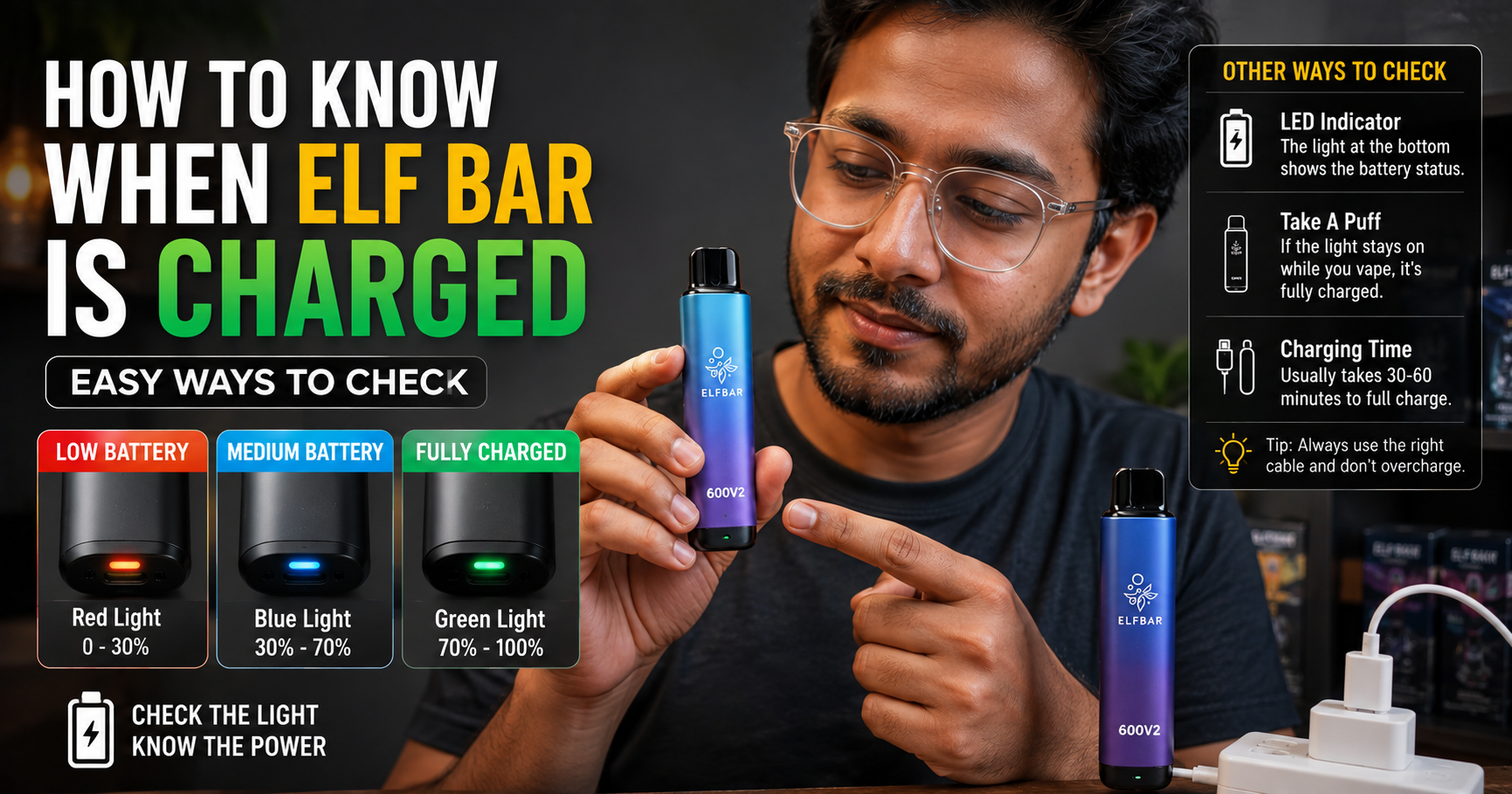
Most Elf Bar devices use a single LED light near the charging port or mouthpiece. While charging, the light typically blinks or glows steadily (often white, blue, or red depending on the model). When the LED turns off, stops blinking, or switches to a solid green/white light, the device is fully charged. If there’s no light at all when you plug it in, the battery may be dead, the cable may be faulty, or the device may not support recharging.
Why Charging Indicators Matter
Not knowing when a device is charged leads to two common mistakes: unplugging too early (so the device dies mid-session) or leaving it plugged in far longer than necessary. Neither is ideal — overcharging isn’t good for lithium battery longevity, and undercharging means you’re back at the charger within the hour.
Understanding the indicator light isn’t just convenience — it’s part of using any rechargeable vape responsibly. Every product sold through Elf Bar Store UAE is intended strictly for adults of legal smoking age, and part of responsible use is understanding your device’s basic charging behavior so you’re not guessing every time.
Which Elf Bar Devices Are Rechargeable?
Not every Elf Bar is rechargeable. Some entry-level disposables are designed to be used until the battery or e-liquid runs out, then discarded — no cable required. Higher-capacity, higher-puff-count models, however, almost always include a USB-C charging port because a battery large enough to deliver 10,000+ puffs needs a top-up along the way.
Here’s a breakdown of the current rechargeable and high-capacity lineup available at Elf Bar Store UAE:
If you’re unsure whether your specific unit is rechargeable, check for a small port (usually USB-C) on the bottom or side of the device. No port generally means it’s a single-use disposable with no charging function — once the battery or liquid runs out, it’s replaced rather than recharged.
Browse All Rechargeable Elf Bar Devices →
How the Elf Bar LED Charging Light Works
Almost every rechargeable Elf Bar device uses a small LED indicator, usually positioned near the USB-C port or built into the base of the device. While the exact color scheme varies slightly by model and production batch, the general logic is consistent across the lineup:
While Charging
- The LED blinks or pulses, or glows in a steady but visibly “active” color (commonly white, blue, or red depending on the model).
- On some models, the light may pulse slowly at first and then speed up as the battery approaches full charge.
When Fully Charged
- The LED turns off completely, or
- The LED switches to a solid, steady color (often white or green) that no longer blinks.
When Battery Is Low (Not Charging)
- A rapid blink or flashing red light when you try to inhale usually signals the battery is nearly empty and needs charging before use.
When There’s a Fault
- If the light doesn’t turn on at all when the cable is connected, or it flashes erratically without settling into a steady pattern, this usually points to a connection or hardware issue rather than a normal charge cycle (see the troubleshooting section below).
Because Elf Bar’s device lineup spans several different chipsets and generations, always check the small label or insert that comes with your specific box — the color coding described above is the general industry pattern for rechargeable disposables, but exact colors can shift between releases.

Step-by-Step: How to Charge Your Elf Bar Correctly
- Locate the charging port. On rechargeable models, this is a USB-C port on the base or side of the device — never force a cable into a device that has no visible port.
- Use a compatible USB-C cable. A standard 5V USB-C cable connected to a wall adapter, laptop, or power bank works for virtually all Elf Bar rechargeable models.
- Connect and watch the LED. Within a few seconds of plugging in, the indicator light should activate. If nothing happens, unplug and try a different cable or power source before assuming the device itself is faulty.
- Leave it undisturbed while charging. Avoid using the device (drawing on it) while it’s actively charging — this can interfere with the charge cycle on some models.
- Check the light periodically. Once the blinking stops, or the light turns off/switches to steady, unplug the device.
- Do a short test draw. After unplugging, take a short puff to confirm normal vapor production and flavor — this confirms the device is both charged and functioning correctly.
Shop Elf Bar Chargers & Accessories →
How to Know When Elf Bar Is Charged (Model by Model)
Because “how to know when Elf Bar is charged” really depends on which device you own, here’s a closer look at the popular rechargeable models sold through Elf Bar Store UAE, and what to expect from each.
Elf Bar BC 10000
The BC 10000 is one of the most widely used mid-capacity devices. Its indicator light typically blinks during an active charge cycle and stops blinking once the internal battery reaches full capacity. Because the BC 10000 supports fast charging, a full cycle from a low battery is usually quicker than older, larger-capacity devices.
Elf Bar Ice King 30000 & Ice King Pro 40000
The Ice King 30000 and its bigger sibling, the Ice King Pro 40000, house larger batteries to match their higher puff counts. Expect the LED to stay active/blinking noticeably longer than smaller devices simply because there’s more battery capacity to fill. Once the light settles into a steady, non-blinking state (or switches off), the device is ready to unplug.
Elf Bar Moonlight 40000
The Moonlight 40000 is built for long sessions between charges, with a dual-coil design. Its charging indicator follows the same blink-to-steady pattern — the key sign of a full charge is the light either turning off or holding a constant, unmoving color for several seconds after you first notice it stop blinking.
Elf Bar Trio 40000
The Trio 40000 uses triple mesh coil airflow and a matched high-capacity battery. As with the other 40K-puff models, allow the full cycle to finish — unplugging too early on a large-capacity battery is the most common reason people think their “fully charged” device is dying quickly.
Elf Bar Raya D3 Pro 30000
The Raya D3 30000 is known for dual-mode airflow. Its charging cycle mirrors the standard pattern: active blinking during charge, then a steady or off state once complete.
ElfBar JoinOne Ice Kit 25000
As a kit-style device, the JoinOne Ice Kit 25000 is refillable as well as rechargeable, so the LED indicator is your primary cue for charge status separate from e-liquid level — don’t confuse a “needs refill” prompt (if the model has one) with a “needs charging” signal.
Elf Bar EP8000 & EW9000
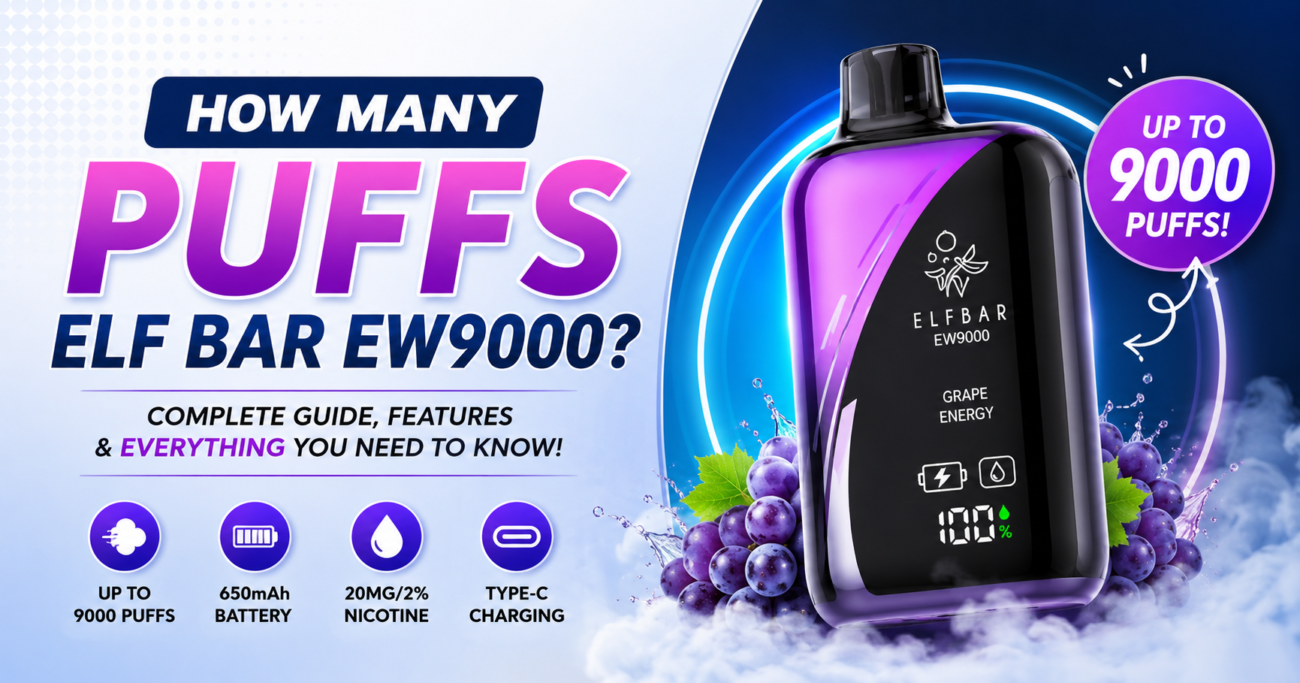
Both the EP8000 and the EW9000 (along with the EW9000 Pod Kit) use smaller batteries matched to their lower puff counts, so charge cycles are typically shorter. The same blink-then-steady rule applies.
See All ELF Bar Puff Counts & Choose Your Device →
Charging Time Chart
Approximate charging durations for a low-to-full battery cycle, based on typical battery sizes matched to each puff count tier. Actual times vary depending on your cable, power source, and how depleted the battery was to begin with.
These are general estimates for planning purposes, not manufacturer-guaranteed figures — always let the LED indicator, not the clock, be your final signal that the device is fully charged.
For more on how long a full charge actually lasts you day-to-day,
See our related guide: How Long Do Elf Bars Last In Days and Per Puff? (Complete UAE Guide)
Signs Your Elf Bar Is NOT Charging
If you plug in your device and nothing seems to be happening, look for these specific signs:
- No LED activity at all when the cable is connected to a known-working power source.
- The light flickers briefly then dies instead of settling into a steady blink pattern.
- The device feels warm within seconds of connecting, rather than gradually warming during a normal cycle — this can indicate a fault and charging should be stopped immediately.
- No change in vapor output after what should have been a full charge cycle.
- The port looks loose, bent, or has visible residue (e-liquid can sometimes seep near the port on well-used devices).
If any of these apply, move to the troubleshooting steps below before continuing to charge the device.

Troubleshooting: Elf Bar Not Charging Fixes
- Swap the cable. A worn or damaged USB-C cable is the single most common reason a device won’t charge. Try a different cable you know works with another device.
- Swap the power source. Plug into a different wall adapter, laptop USB port, or power bank. Some low-output USB ports don’t deliver enough current to trigger the charging circuit.
- Inspect the port. Gently check the charging port for lint, dust, or dried residue, which can block a clean connection.
- Give it a minute. Some devices take a few seconds to “wake up” the battery management system after being fully depleted — leave it connected for a minute before assuming it’s not working.
- Check for physical damage. A dropped or crushed device is more likely to have an internal connection issue than a charging fault you can fix at home.
- If nothing works, don’t force it. Continuing to charge a device that shows no LED response, feels unusually hot, or smells unusual is a safety risk — stop immediately and replace the unit.
If your device is still under any applicable warranty or was purchased recently, reach out to the Elf Bar Store UAE support team or via WhatsApp for guidance, or check your order status on the Track Order page.
Talk to Support on WhatsApp →
Battery Life vs. E-Liquid: Which Runs Out First?
A question closely related to “how to know when Elf Bar is charged” is which component runs out first — the battery or the e-liquid. On most well-matched devices, the manufacturer designs the battery capacity to roughly align with the advertised puff count, meaning the e-liquid and battery should run low around the same time under normal use. However, individual habits (longer draws, higher wattage devices, frequent short puffs) can cause one to deplete faster than the other.
If you notice your battery consistently dies well before the advertised puff count is reached, that’s a sign either the device saw heavier-than-average use, or the unit’s battery health has started to decline — both are normal over a device’s lifecycle and not necessarily a fault.
For more detail on real-world puff counts and how long devices actually last per day,
Cheap Disposable Vape UAE: The Complete 2026 Buyer’s Guide.
Charging Safety Tips
Because these are lithium-battery devices, a few basic safety habits go a long way:
- Always use the cable and charger type recommended for the device — avoid high-output fast chargers not designed for small lithium cells.
- Never leave a charging device unattended overnight or for extended periods beyond a normal charge cycle.
- Charge on a hard, non-flammable surface — not on bedding, sofas, or carpet.
- Stop charging immediately if you notice unusual heat, swelling, a chemical smell, or leaking.
- Keep devices and chargers away from children and out of reach of anyone underage.
- Don’t charge a visibly damaged device — a cracked, dented, or previously dropped unit should be replaced rather than charged.
All products sold on Elf Bar Store UAE are intended strictly for adults who meet the legal vaping age in the UAE, and nicotine-containing products carry health risks that should be reviewed before purchase or use.

How to Extend Your Elf Bar’s Battery Life
Once you know how to tell when your device is charged, the next useful skill is stretching that charge as far as possible. A few habits make a measurable difference over the life of a rechargeable Elf Bar:
- Take moderate, steady draws instead of long, continuous pulls. Longer draws activate the heating coil for extended periods, which drains both battery and e-liquid faster per puff.
- Avoid chain-vaping. Giving the coil a few seconds to reset between puffs reduces strain on both the battery and the atomizer.
- Store the device at moderate temperature. Leaving any lithium-battery device in a hot car or direct sunlight accelerates battery degradation over time — this applies to every rechargeable model, from the compact EP8000 to the high-capacity Ice King Pro 40000.
- Top up before it’s fully empty when possible. Letting a lithium battery repeatedly drain to zero before recharging tends to shorten its usable lifespan compared to more moderate charge cycles.
- Keep the charging port clean. A port full of lint or dried residue can create a poor connection, which sometimes shows up as slower charging or an inconsistent LED pattern — not necessarily a battery fault.
None of this changes how to read the LED itself, but it does mean your device is more likely to hit its expected charge time consistently, rather than taking longer and longer with each cycle.
How Long Does Elfbar 30K Last? A Real-World Usage Breakdown.
A Quick Primer on Why the LED Behaves This Way
It helps to understand, briefly, what’s actually happening inside the device. Rechargeable Elf Bar models use a small lithium-polymer or lithium-ion cell paired with a basic battery management chip. That chip is responsible for two things relevant to this guide: regulating how much current flows into the battery while charging, and controlling the LED indicator so it reflects the battery’s state.
During the early part of a charge cycle, the chip allows a higher current into the battery, which is why the light is often described as “actively” blinking or pulsing during this phase. As the battery approaches capacity, the chip tapers the current down to protect the cell from overcharging — this is often the point where users notice the blink pattern change, slow down, or stop entirely. Once the chip detects the battery has reached its target voltage, it cuts off charging current altogether, which is why the LED either goes dark or locks into a steady, non-blinking state.
This is also why unplugging a device the moment you think it might be done, rather than waiting for the light to fully settle, can sometimes leave you with slightly less than a full charge. When in doubt, give it another five minutes after the light appears to have changed before disconnecting.
Comparing Elf Bar Charging Behavior to Other Brands
If you also use other rechargeable disposables carried at Elf Bar Store UAE, you’ll notice the same general blink-to-steady logic across most modern devices, including the Pod Salt, Vozol, Relx, and Yuoto lineups. The exact LED color and blink speed differ from brand to brand and even between product generations, but the underlying idea — active light while charging, steady or off light when done — is close to a universal standard across the rechargeable disposable vape category. If you own devices from more than one brand, it’s worth keeping the small instruction insert from each box until you’re familiar with that specific model’s pattern.
Related Elf Bar Store Guides
Now that you know how to tell when your Elf Bar is charged, these related guides can help with the rest of the ownership experience:
Explore Related Products
If you’re shopping for a new rechargeable device or a backup for the one you’re currently charging, these categories are all live and stocked at Elf Bar Store UAE:
Shop the Full Collection →
Frequently Asked Questions
How do I know when my Elf Bar is fully charged?
Watch the LED indicator near the charging port. When it stops blinking, turns off, or switches to a steady, unmoving light, the battery has reached a full charge and the device can be safely unplugged.
What color is the Elf Bar charging light when it’s done?
This varies by model and production batch, but the consistent pattern is: an active blinking or pulsing light means charging is in progress, and a steady/off light means the cycle is complete. Always refer to the insert that came with your specific device for exact color meanings.
How long does it take to charge an Elf Bar?
Depending on the model and battery size, most rechargeable Elf Bar devices take between 30 minutes (smaller puff-count models like the EP8000) and up to 90 minutes (larger 40,000-puff devices like the Moonlight 40000).
Do I need to charge my Elf Bar?
It depends on the model. Most entry-level disposables are designed for single use with no charging required, while higher-capacity devices — generally 8,000 puffs and above — include a USB-C port and are rechargeable. Check the product page for your specific device to confirm.
Why isn’t my Elf Bar charging?
The most common causes are a faulty or incompatible cable, a low-output power source, a blocked charging port, or a damaged device. Work through the troubleshooting steps above before assuming the unit itself has failed.
Can I use my Elf Bar while it’s charging?
It’s best to avoid drawing on the device while it’s actively connected to a charger, as this can interfere with the charging cycle on some models and is generally not recommended for battery health or safety.
Is it bad to overcharge an Elf Bar?
Leaving any lithium-battery device connected well beyond a full charge isn’t recommended. Most modern devices include some protection circuitry, but unplugging once the LED indicates a full charge is the safer habit.
Are Elf Bar products sold at Elf Bar Store UAE authentic?
Yes. All products available at Elf Bar Store UAE are sourced from authorized suppliers to ensure authenticity and compliance with applicable regulations, and purchases are strictly limited to adults who meet the legal vaping age requirement in the UAE.
Final Word
Learning how to know when your Elf Bar is charged really comes down to one habit: watch the LED, not the clock. A blinking or actively glowing light means the battery is still filling up; a steady or off light means it’s ready to go. Charging times will vary based on your specific model — smaller puff-count devices like the EW9000 charge faster than high-capacity devices like the Trio 40000 — but the indicator logic stays consistent across the lineup.
If your device won’t charge no matter what you try, or you’re ready to upgrade to a new model, the full range of authentic, adult-use-only Elf Bar devices is available with same-day delivery and cash on delivery across the UAE.
Shop Authentic Elf Bar Devices Now →
Chat with Support on WhatsApp →